Guide › Every morning
Every morning
Today and your plan
Open it before you lace up: what to run, whether your body is ready for it, and whether the training is working.
- Today
- Today's run
- Before the run
- Notes through the day
- Check-ins
- One question a day
- Your status
- Your week and checks
- Your plan
- Widgets
Today
One scroll, in the order you need it: the session, your readiness, your form, your week. Today speaks only when something is new; on a normal day it stays quiet.
Today's run
Know what to run, and how hard, before you head out.
- Today's session from your plan, its targets as chips: distance, time, and a no faster than pace on easy days.
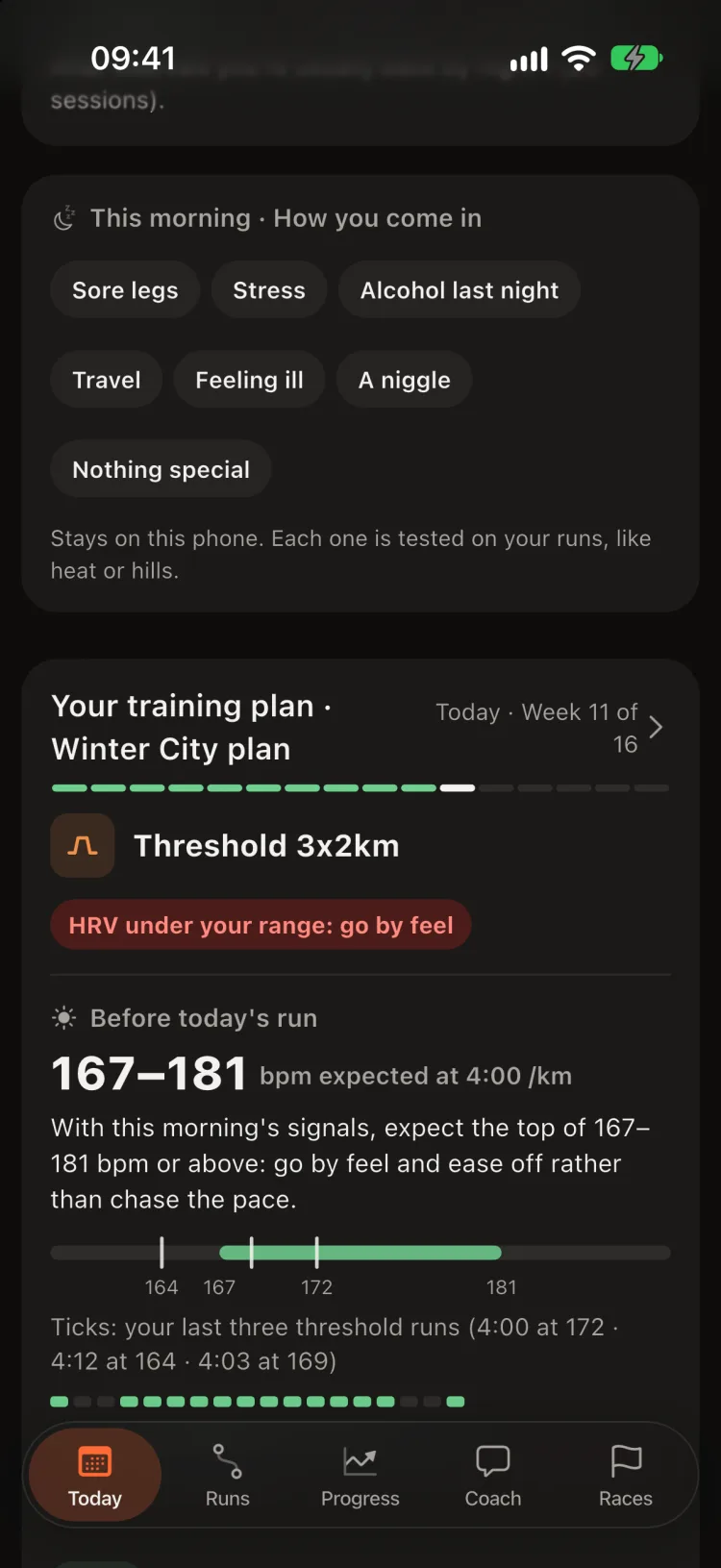
- How you come in: days since your last race, this morning's resting heart rate and last night's sleep against your normal. When they are off, it turns red: Coming in tired.
- No plan connected? Next run suggests a session from your recent training.
- Today's session leads until you have run it. Then its result shows as the Last plan session and the next session leads (Tomorrow: … the day before).
Most runners run their easy days too fast. The pace cap is there to stop that.
Before the run
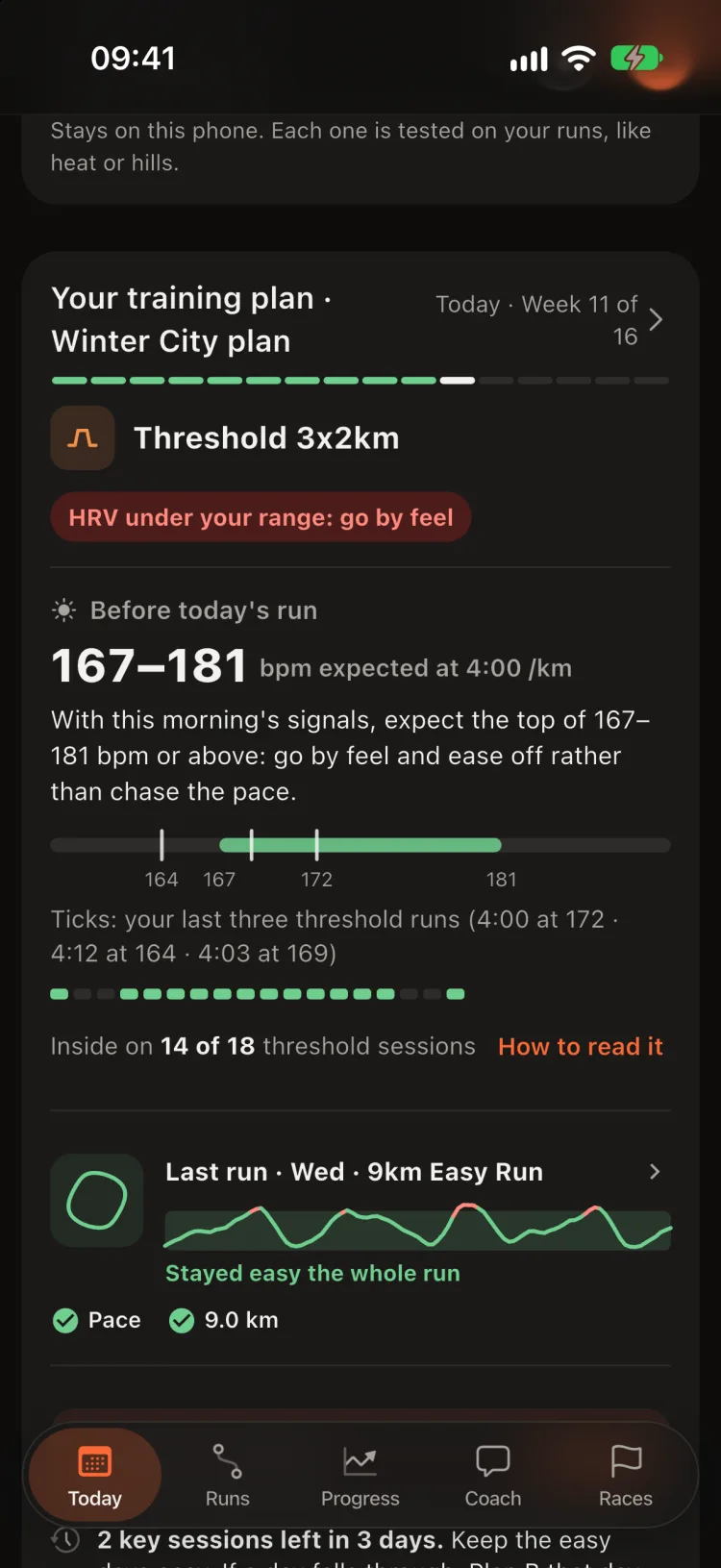
- The morning read: the heart-rate range your own recent runs of that type expect at the session's pace, drawn as a bar with your last three runs as ticks, and how often the range has really held. How to read it explains it. A reading guide, not a target.
- Heat: on a hot day, the plan card names the day's heat and a cooler hour. What the heat costs you is stated beside it only once your own runs confirm it, never added to the range.
- A step up in distance: a session more than 10% longer than your longest run of the last 30 days gets a note with its size (Frandsen et al. 2025). A description, never a diagnosis.
- Send to watch › puts the session on your Apple Watch (Workout app), your Garmin (through Cursans view) or your COROS. Only needed if your plan app does not already put it there.
Notes through the day
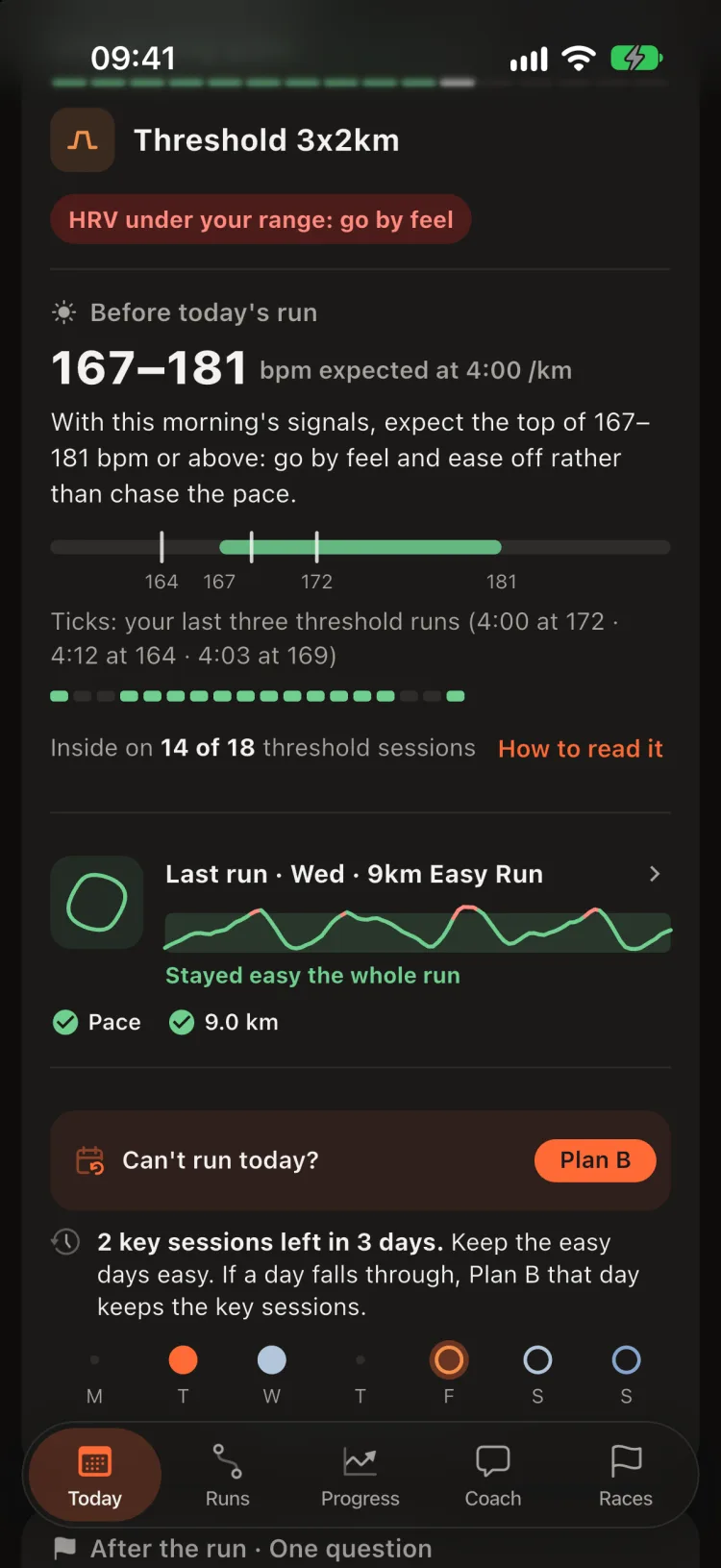
Each note carries its moment, so you know when it applies: Overnight (moon), Since yesterday (clock), Before the run (sun) and After the run (flag).
- Overnight notice: Two mornings outside your range, only when two or more of HRV, resting heart rate and sleep are off your own usual on two mornings in a row, with no hard session or race just before to explain it. It says how to read your next run; it never tells you to rest. It can also come as one notification a day (Settings › Two rough mornings).
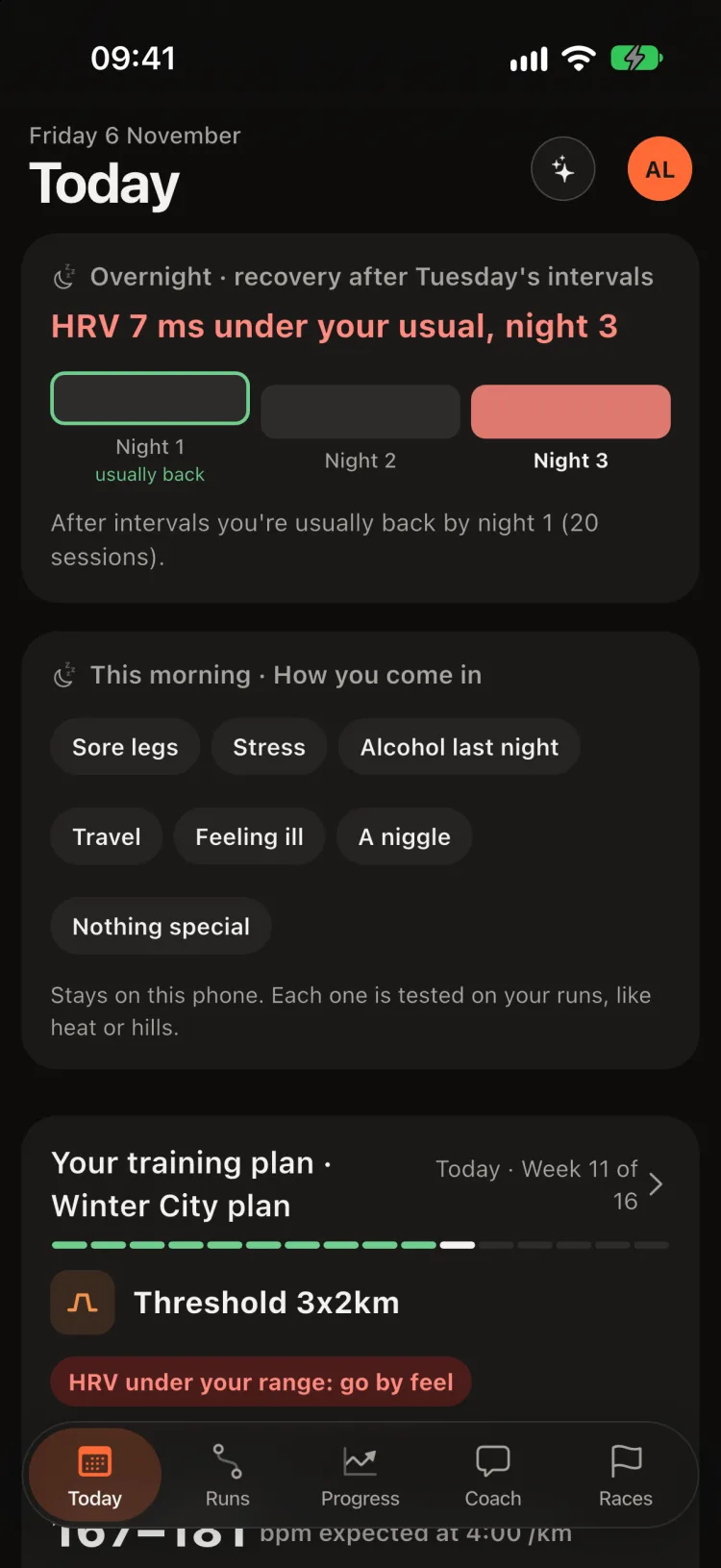
- Recovery after a hard session: after a threshold, interval or long session or a race, while your resting heart rate (or HRV) is not yet back to your usual, one cell per night shows where you are against your own usual recoveries: grey within them, red past them. A normal recovery gets no note.
- Since yesterday: only the trends whose colour changed overnight.
- What this run can show: the first session since your LT1 or LT2 moved, or the run that completes a type's first trend.
- Back after N days off: after two weeks or more without running, your run days as a week strip and each type's latest run back against your runs before the break. It describes; every run still counts in your trends.
Check-ins
One tap says how you come in: Sore legs, Stress, Alcohol last night, Travel, Feeling ill, A niggle or Nothing special. Today asks only on a run day: before the run on the morning of a planned session, and after any run not yet checked in. You can also add one on a run's page for its day.
- After the run: How hard did the run feel? from 1 (very easy) to 10 (maximal), session RPE (Foster et al. 2001). Shown beside your numbers, never judged.
- After a run of an hour or more: Fuel in this run? yes or no.
- Check-ins stay on your phone. Each tag is tested on your own runs, like heat or hills, in What affects you. A day without a check-in never counts as “no”.
One question a day
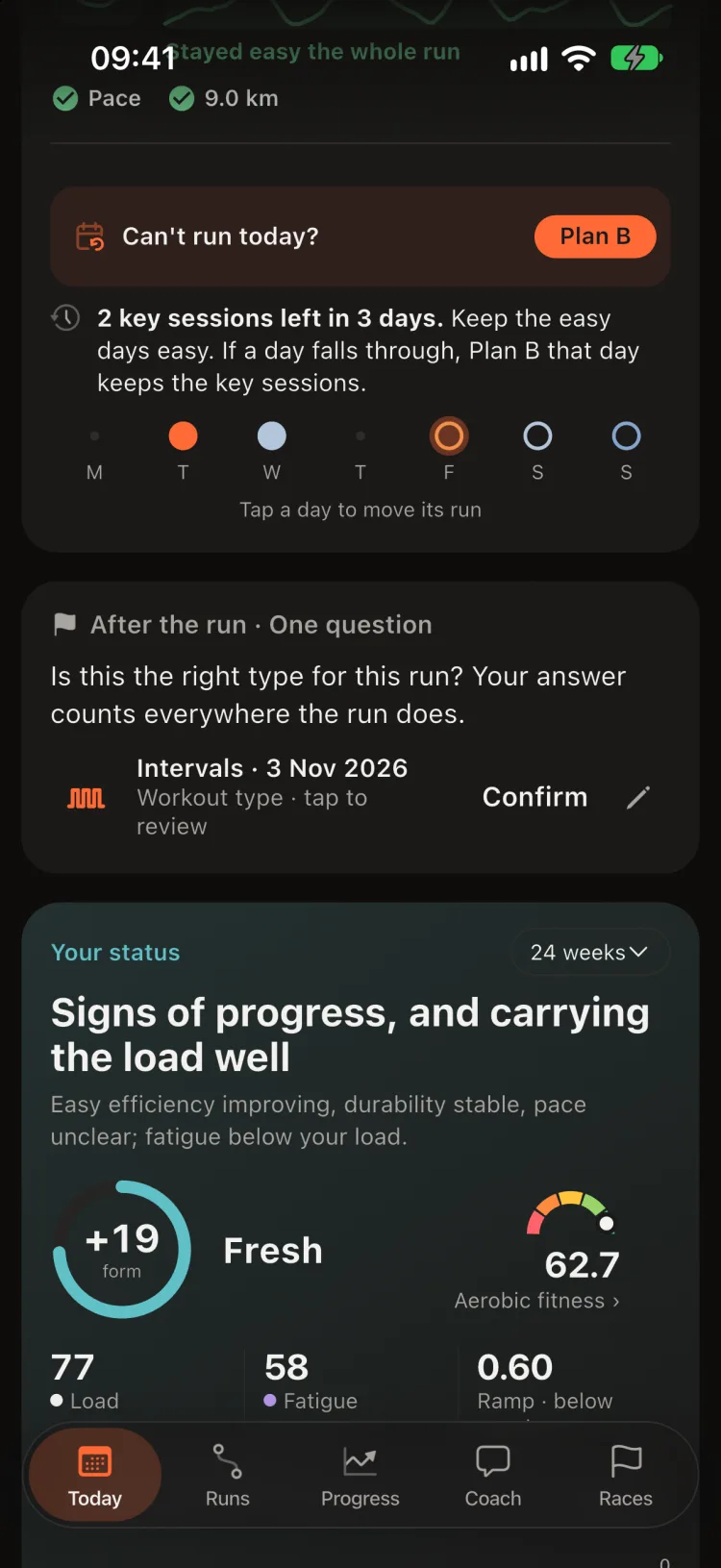
When Cursans is not sure of a run's type, Today asks about one run a day, never a backlog: Is this the right type for this run? Your answer counts everywhere the run does.
- Every run gets a type. When Cursans is not sure, it asks you once, here in the One question card, and your answer settles it.
- The review sheet shows the run itself: distance, time, pace, heart rate, its shape and its work steps, so you can answer without opening it.
- A type you set yourself always wins and survives re-imports.
Your status
How is your training going? One sentence, with the evidence under it.
- The verdict, such as Fitter, and carrying the load well. After a marathon it reads Recovering from Riverside Marathon · day 6 for two weeks (one after a half): muscles need that long, whatever the load numbers say. Why › shows the sources.
- Form (fresh above zero, building below), Load (your last six weeks), Fatigue (your last week) and Ramp (this week against your normal), with the chart.
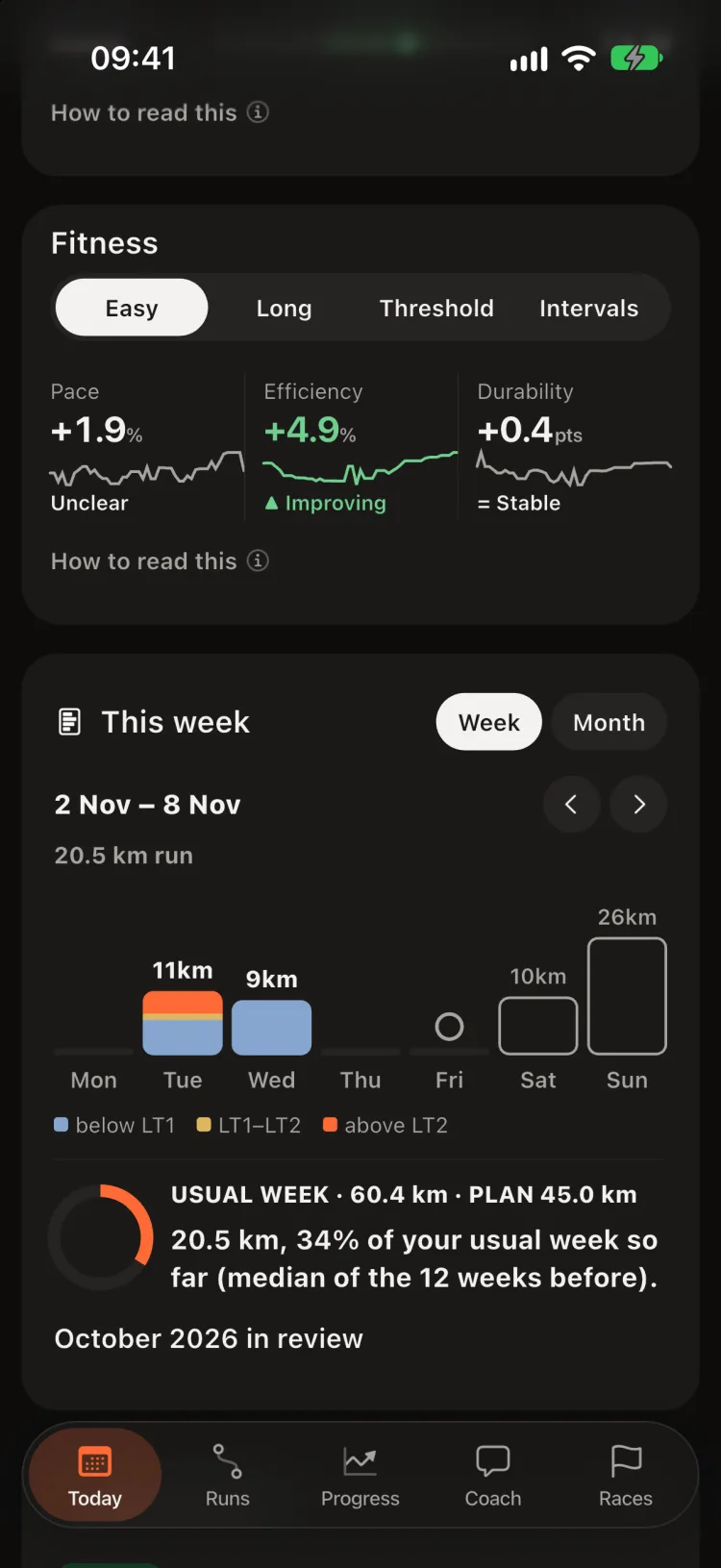
- Fitness per workout type: pace, efficiency (speed per heartbeat) and durability, each ▲ improving, = stable or ▼ declining. Tap one for the full trend.
Pace flatters a cool morning and punishes a hot one. Efficiency and durability show whether the engine itself improved.
Your week and checks
Your week against your normal, and what to change.
- This week: distance against your usual week, or against the plan in a recovery week. ‹ › for past weeks, Month for the calendar.
- Training check: Keep, Adjust or Check, one line each. Tap for the evidence, your zone split and the sources, or Ask Sans why.
- Consistency: training weeks in a row. A taper or race week does not break it.
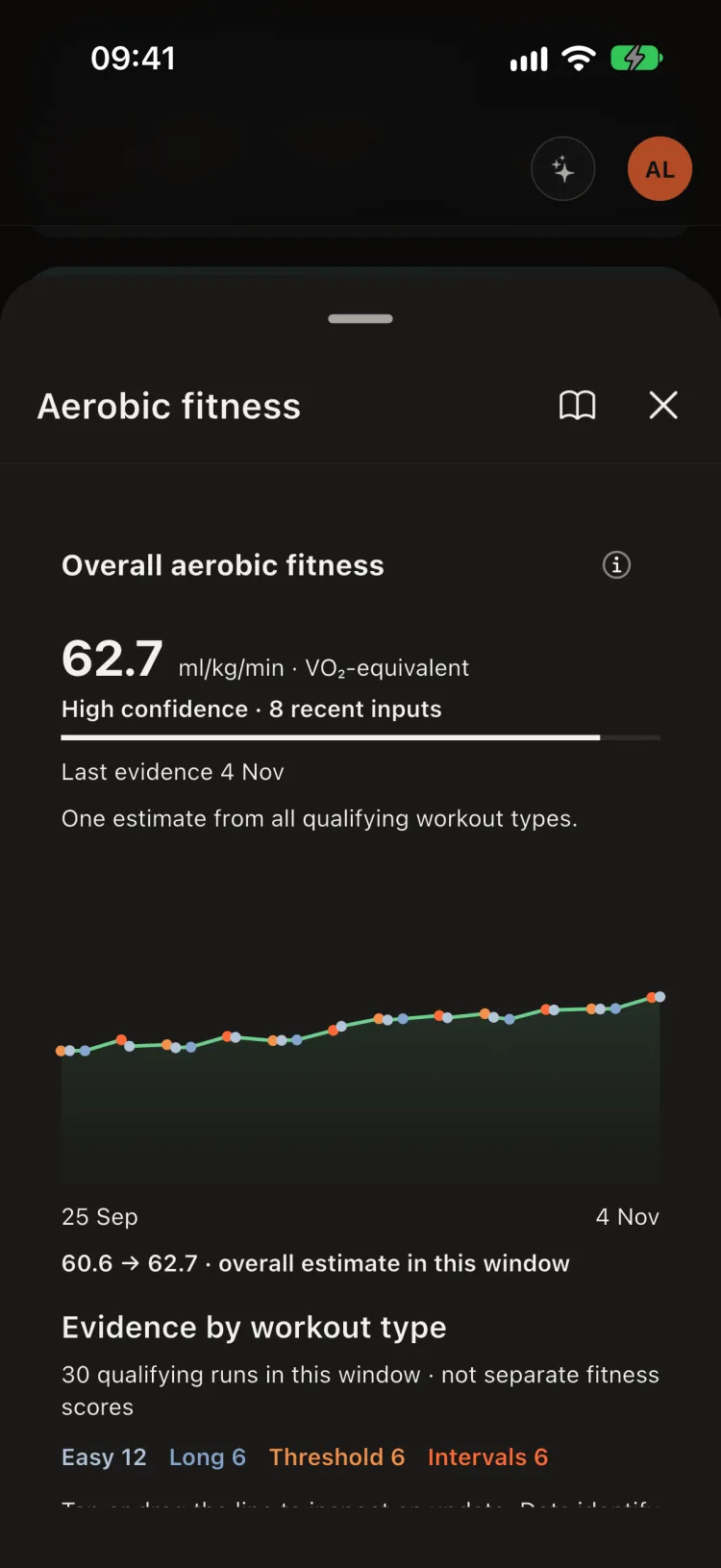
- Overall aerobic fitness: one VO₂-equivalent from all your runs, rated for your age.
Weeks in a row build a runner more than any single session. The streak is the number to protect.
Your plan
Is your plan working? Checked against what you actually ran.
- Where you are: the week, the planned runs done, the goal race.
- A finished plan gets a verdict, such as The plan is working: threshold pace and interval pace improving, and every planned run as a dot, filled when run.
- Coming up: the next sessions.
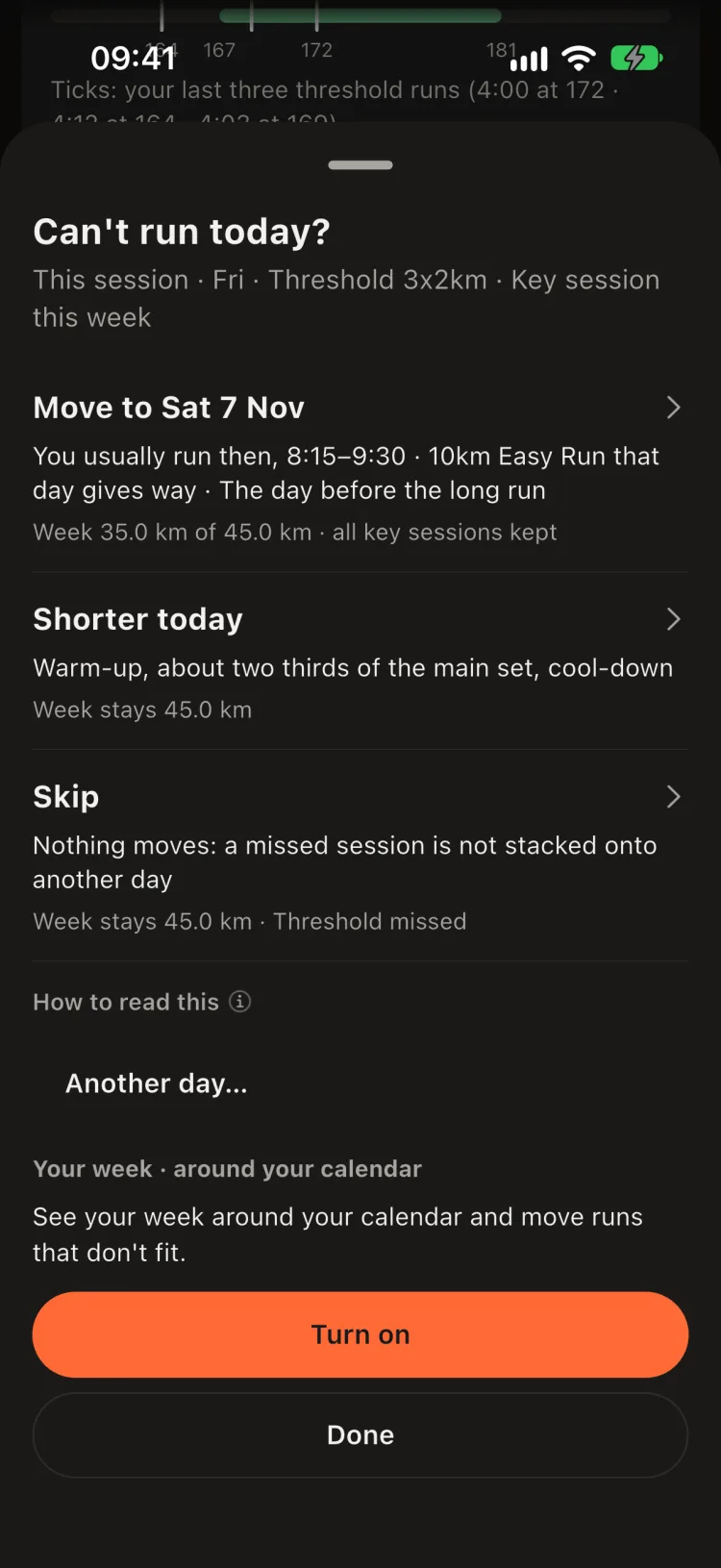
- Plan B: can't run on the planned day? Move the session to another day, run it shorter today, or skip it, and see what each does to the week.
- Compare with another plan puts two plans side by side. Use as the Progress period scopes every trend to the plan's dates.
- Add an older plan: a name and two dates bring back a plan your plan app no longer shows.
Cursans does not write your plan. It tells you whether the one you follow is paying off.
Widgets, Lock Screen and race day
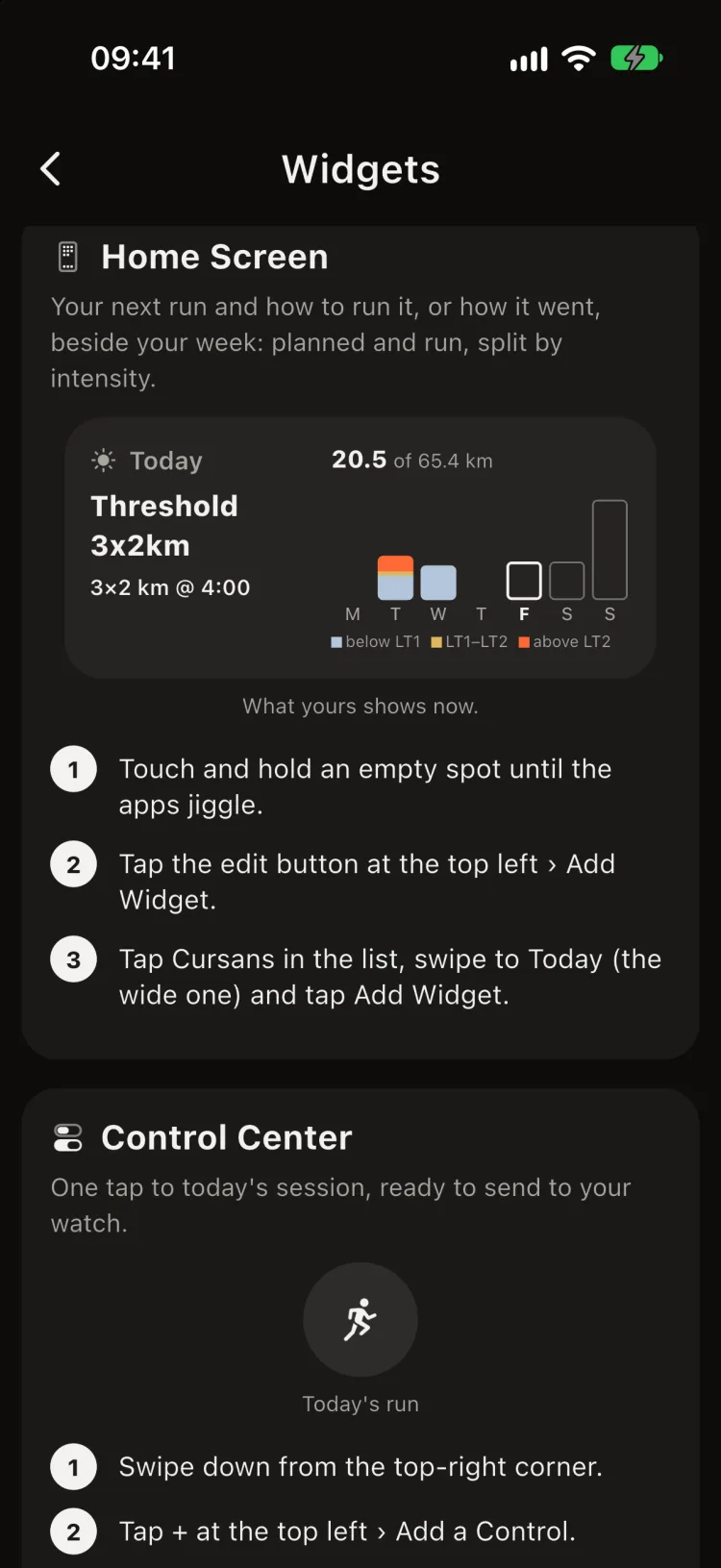
Cursans outside the app. iOS lets only you place widgets, so Settings › Widgets shows each place with a preview from your own numbers and the exact taps.
- Lock Screen: your next run and its limits, or how today's went, at a glance.
- Home Screen: your next run and how to run it, or how it went, beside your week: planned and run, split by intensity.
- Control Center: one tap to today's session, ready to send to your watch.
- Race day: a Live Activity on the Lock Screen counts down to the start with your predicted time, target pace and the temperature, then shows your result.
Widgets and Live Activities show training data while the phone is locked. Leave them off if others see your phone.